Scenes
#include "chili/scene.hpp"
Split your game into scenes: title, play, pause, game over. Each scene is a class with enter(), update() and render(). chili::Scenes runs the current one and switches between them.
This replaces the enum class Scene and the big switch in each update() and render().
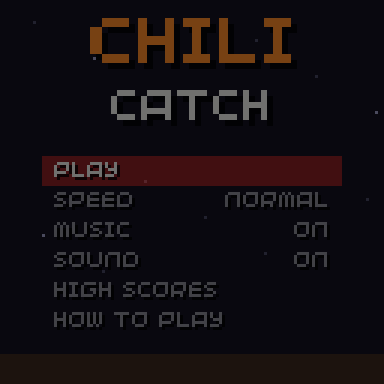
Example
#include "chili/scene.hpp"

chili::Scenes scenes;

struct Title : chili::Scene {
  void enter() override { audio::play(title_song); }
  void update(uint32_t dt) override {
    if(scenes.pressed() & Button::A) scenes.go(play, 150);  // fade over 150 ms
  }
  void render(uint32_t time) override { draw_title(time); }
} title;

struct Play : chili::Scene {
  void enter() override { reset_round(); }
  void update(uint32_t dt) override { step_game(dt); }
  void render(uint32_t time) override { draw_game(time); }
} play;

void init() {
  scenes.guard_ms = 300;
  scenes.go(title);
}

void update(uint32_t time) { scenes.update(time); }
void render(uint32_t time) { scenes.render(time); }
Scenes are your own objects; Scenes only points at them, so keep them alive. Globals are fine.
Scene
| Hook | Called |
|---|---|
virtual void enter() |
Each time the scene starts. Reset its state here. |
virtual void update(uint32_t dt) |
Every update, with the milliseconds since the last one. |
virtual void render(uint32_t time) |
Every frame, with 32blit's time in ms (for animations). |
All three are optional.
Scenes
| Member | Does |
|---|---|
void go(Scene &next, uint32_t fade_ms = 0) |
Switches to next, right away or with a fade through black. |
void update(uint32_t time) |
Call from update(). |
void render(uint32_t time) |
Call from render(). Draws the scene, then the fade. |
Scene *current() / bool is(const Scene &) |
The current scene. |
uint32_t time_in_scene() |
Milliseconds since the current scene started. |
uint32_t dt() |
Milliseconds since the last update. Handy for effects. |
bool fading() / uint8_t fade_alpha() |
The fade, 0 (clear) to 255 (black). |
uint32_t pressed() |
This frame's presses, guarded (see below). |
uint32_t held() |
Held buttons, guarded. |
uint32_t guard_ms |
Ignore presses this long after each switch. Default 0. |
Pen fade_color |
Default black. |
Fades
go(next, fade_ms) fades in two halves:
sequenceDiagram
    participant Old as Old scene
    participant S as Scenes
    participant New as New scene
    S->>Old: frozen, drawn darker and darker
    Note over S: fade_ms later: black
    S->>New: enter()
    S->>New: update() and render(), lighter and lighter
Note over S: fade_ms later: clear- The old scene stops updating while it fades out, so a dying snake does not move on.
- The new scene runs while it fades in.
pressed()is 0 during the whole fade.- Calling
go()again during the fade-out only changes where it goes.
The input guard
Two things go wrong when a scene changes:
- A button still held. The player holds down to drop a Tetris piece; the round ends; the next round starts with the piece already dropping.
held()andpressed()leave out every button that was down at the switch, until it is released. - Mashing. The player is tapping A; the game-over screen appears and the next tap skips it. Set
guard_ms(300 to 400 ms works) andpressed()stays 0 that long after each switch.
So read input through scenes.pressed() and scenes.held() in your scenes, and pass them on:
void update(uint32_t dt) override {
  menu.update(scenes.pressed());
  if(scenes.held() & Button::DPAD_LEFT) x -= speed * dt;
}
A pause menu inside the play scene does not need a scene of its own: keep a paused flag in the scene, as Chili Catch does.